Choosing Business Software You Can Leave: Data Export, Contract Exit Terms, and Avoiding Vendor Lock-In
The best business software is not only easy to adopt; it should also be practical to leave. A platform becomes risky when your data, workflows, integrations, pricing, or contract terms make switching so expensive that leaving is no longer realistic.
That is why software selection should include an exit test before purchase. Instead of asking only, “Can this product do what we need today?” buyers should also ask, “If we replace it later, can we recover our information, rebuild our workflows, terminate the agreement, and move without unreasonable disruption?”
This matters whether you are evaluating accounting software, a CRM, payroll, POS, ecommerce tools, project management systems, cloud platforms, analytics applications, or an all-in-one SaaS suite. A low subscription price can be attractive, but the real cost of software includes the cost of changing your mind.
Businesses choosing software should evaluate five things together: the quality of the product, the portability of the data, the interoperability of the technology, the flexibility of the contract, and the practical cost of migration.
That approach does not mean rejecting every proprietary feature or avoiding long-term vendor relationships. It means ensuring that a relationship remains a choice rather than becoming a dependency you cannot realistically unwind.
What Is Software Vendor Lock-In?
Software vendor lock-in occurs when changing software providers becomes unusually difficult, expensive, disruptive, or risky because of technical, data, contractual, workflow, or ecosystem dependencies.
A business can experience vendor lock-in even when a vendor technically allows cancellation. If canceling means losing historical records, manually downloading thousands of attachments, rebuilding every integration, retraining the entire staff, or paying most of the remaining contract value, the business may have very little practical freedom to switch.
Business software vendor lock-in can develop gradually. A company may start with a simple customer-management application and later add billing, marketing automation, reporting, forms, support tickets, payment processing, and custom integrations. The software becomes more valuable, but leaving becomes harder.
Common causes include:
- Proprietary data structures or file formats
- Limited or incomplete business software data export
- Closed, expensive, or restricted APIs
- Vendor-specific automation and custom workflows
- Integrations that cannot easily be transferred
- Long contractual commitments
- Auto-renewal SaaS contracts with strict notice requirements
- Early termination fees
- Expensive migration services
- Extensive staff training around unique product features
- Dependence on several products within one vendor ecosystem
Vendor lock-in is not automatically evidence of a bad product. Powerful software frequently becomes deeply embedded because it works well. The procurement objective is to distinguish valuable integration from unmanageable dependency.
NIST’s cloud-computing guidance treats portability and interoperability as important considerations because standards can make migration easier and reduce the risk that technology investments become prematurely obsolete.
A useful purchasing principle is therefore simple: judge a platform partly by what happens when you stop using it.
Why Vendor Lock-In Matters to Small Businesses
Vendor dependency risk can be especially significant for a small or midsize business because the organization may not have a dedicated migration team, enterprise architects, contract specialists, or a large IT budget available when circumstances change.
Imagine that an accounting platform raises its price substantially. The company may dislike the increase but discover that ten years of transactions, reconciliations, attachments, custom classifications, and integrations would take months to migrate. Even if several alternatives are cheaper, software switching costs can remove most of the company’s negotiating leverage.
The same problem can emerge after service deterioration. When moving is difficult, businesses may tolerate slower support, missing features, changed product priorities, or unfavorable pricing longer than they otherwise would.
Vendor lock-in can also create operational concerns. A vendor may discontinue a product, remove an integration, experience an extended outage, change its API, be acquired, change pricing, or reposition a product for larger customers. None of those outcomes automatically means disaster, but businesses with a tested vendor exit strategy have more options.
Small businesses should therefore view portability as part of business continuity software planning. The ability to retrieve critical information can matter just as much as application uptime.
A useful internal resource is this overview of [business software categories small businesses commonly rely on]. business software categories small businesses commonly rely on Understanding which applications hold important operational information makes it easier to identify which systems deserve the strongest portability requirements.
Lock-in also affects negotiating power. A company that knows it can migrate within 60 days approaches renewal conversations differently from one that would need a year and a major consulting project to leave.
The Five Main Types of Vendor Lock-In

Vendor lock-in is easier to evaluate when it is separated into categories. A product may score well in one category while creating significant exposure in another.
Technical Lock-In
Technical lock-in develops when the underlying architecture, APIs, programming model, integrations, or configuration methods are difficult to reproduce elsewhere. Custom applications built around proprietary interfaces can be particularly expensive to replace.
For example, a company might automate lead intake, quoting, approval, invoicing, and customer notifications using one platform’s proprietary workflow engine. The customer records might be exportable, but the automation logic may not be.
Technical lock-in can also appear when API portability is weak. An API may exist but offer only a fraction of the data available through the application’s interface. Rate limits, undocumented objects, plan restrictions, or specialized authentication requirements can make a large-scale software migration harder than expected.
Open interfaces do not eliminate software vendor lock-in, but they can reduce unnecessary dependencies. NIST distinguishes interoperability from portability: interoperability concerns systems exchanging and effectively using data or services, while portability concerns moving data or applications between environments at acceptable cost.
Data Lock-In
Data lock-in occurs when the company cannot retrieve its information in a complete, usable, migration-ready form.
The problem is often not whether an export button exists. The issue is what the export actually contains.
A CRM may export contacts but omit email attachments, relationship history, activity logs, custom objects, permissions, or field definitions. A project system may provide tasks but omit comments and files. A POS platform may offer sales reports but not transaction-level records suitable for migration.
That is why data ownership and data portability must be evaluated separately.
If data can only be retrieved as screenshots, individual PDFs, proprietary database files, or manual downloads, the business may technically possess its records while still facing substantial migration difficulty.
Contractual Lock-In
Contractual lock-in results from business software contract terms that make departure expensive or difficult. Examples include long initial commitments, automatic renewal, limited cancellation rights, early termination fees, minimum spending obligations, or narrow termination windows.
A platform can be technically portable yet contractually difficult to leave.
The reverse is also possible. A month-to-month service might allow cancellation at any time while offering poor exports and no post-termination API access.
Good software procurement therefore reviews both the product and the agreement. SaaS contract exit terms deserve attention before the order form is signed, not when the company has already decided to migrate.
Workflow Lock-In
Workflow lock-in develops when employees adapt important business processes to features that are unique to one application.
Suppose a service company creates hundreds of automated routing rules, custom approval stages, calculated fields, templates, dashboards, and internal procedures around a particular platform. Even when every record is exportable, reproducing those processes somewhere else can require significant redesign.
Workflow dependency is often underestimated because it does not appear on a vendor invoice. Its cost appears later through configuration labor, testing, employee training, documentation updates, and temporary productivity losses.
Mapping important workflows independently from the software can reduce this risk. Teams should understand what the business process is intended to accomplish, not merely which buttons employees currently click.
Ecosystem Lock-In
Ecosystem lock-in occurs when several critical tools become dependent on the same vendor platform.
A business may use one provider for customer management, communication, identity, analytics, storage, automation, and reporting. Integration may be excellent, but the company’s exit becomes broader than replacing one application.
An ecosystem strategy can still be sensible. The question is whether consolidation creates benefits greater than the associated concentration risk.
Companies exploring integrated operating models may find this discussion of [workflow integration as businesses scale] useful. workflow integration as businesses scale The goal should be productive integration without losing track of which dependencies would have to be rebuilt during an exit.
Data Ownership, Access, Portability, Export, and Deletion Are Different
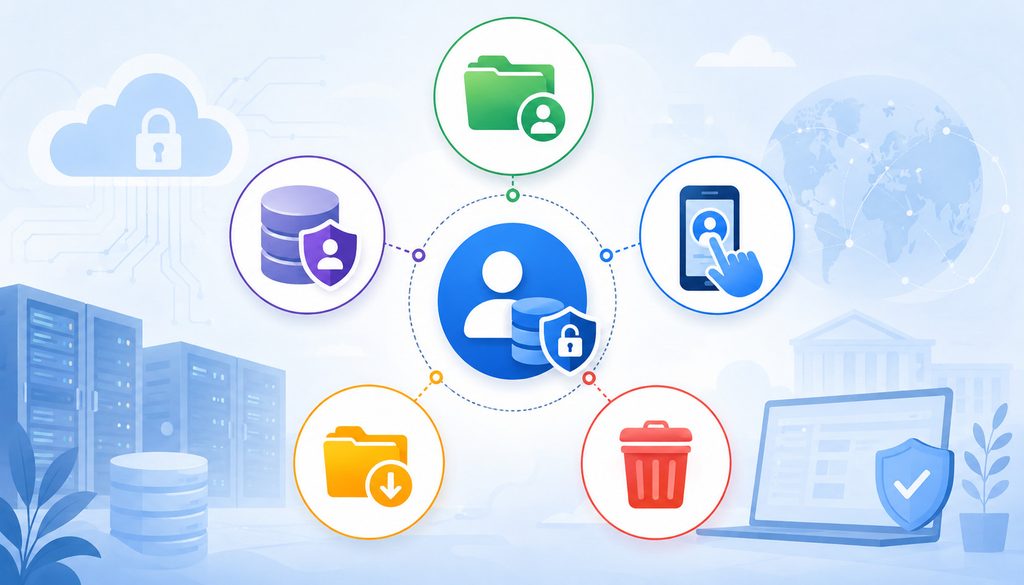
One of the most important software procurement lessons is this:
Owning Data ≠ Being Able to Export It Easily
A contract might state that the customer owns customer-generated data. That statement alone does not tell you whether the vendor provides a bulk export, whether attachments are included, whether the format can be imported elsewhere, how long retrieval remains available, or whether professional-services fees apply.
Buyers should distinguish eight related concepts.
Data ownership concerns contractual or legal rights relating to information.
Data access concerns your ability to view, retrieve, query, or otherwise use information while it is hosted by the provider.
Data portability concerns whether the information can realistically be moved to another system while preserving sufficient meaning and structure.
Data export is the mechanism used to retrieve information, such as downloadable CSV files, JSON archives, XML, media folders, reports, or an API.
Interoperability concerns different systems exchanging and using information effectively.
Migration support covers vendor assistance such as schema documentation, bulk extracts, technical consultation, database snapshots, or transition services.
Contract termination determines how and when the commercial relationship ends.
Data deletion concerns when information is removed from production environments and, separately, how backups, logs, replicas, or archives are treated.
These concepts overlap, but they are not interchangeable.
A customer might own its data and still have only 24 hours after termination to retrieve it. Another platform might provide excellent API access during the subscription but disable credentials immediately when cancellation becomes effective. A third may allow exports indefinitely but provide them only in a proprietary format.
Procurement teams should turn vague assurances into testable requirements.
Instead of asking, “Do we own our data?” ask:
- Can we export business data without vendor assistance?
- Which objects are included?
- In what format?
- Are attachments and metadata included?
- Are custom fields preserved?
- How are relationships represented?
- Can administrators export everything at once?
- Does the right survive termination for a defined period?
- Is there an additional charge?
- When does deletion begin?
Business Software Data Export: What a Useful Export Should Contain
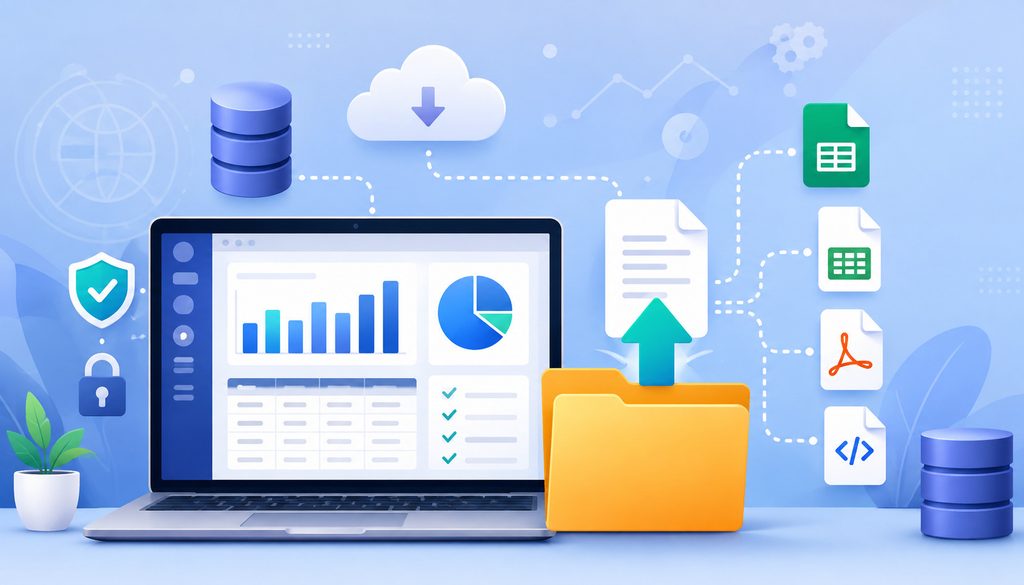
A business software data export should preserve enough information to reconstruct business records meaningfully in a replacement system.
Exactly what that requires varies by application, but common categories include:
- Customers and contacts
- Suppliers
- Transactions
- Invoices and credit records
- Products and services
- Inventory data
- Projects and tasks
- Notes and comments
- Custom fields
- Attachments and documents
- Created and modified timestamps
- Record relationships
- User identities
- Roles or permissions where relevant
- Audit history
- Configuration information
- Integration identifiers
Consider a CRM containing 40,000 customer records. A CSV file with customer names and email addresses might appear impressive until the migration team discovers that five years of activity history, uploaded contracts, custom opportunity fields, ownership assignments, and parent-child relationships were omitted.
That is not a complete migration export.
What Makes an Export Migration-Ready?
Migration-ready does not mean a file can be downloaded. It means another system or migration process can interpret the exported information with reasonable effort.
| Export Feature | Why It Matters |
| Open format | Makes information easier to process with common tools |
| Complete records | Reduces the risk of losing business history |
| Metadata | Preserves dates, status, ownership, and context |
| Attachments | Prevents documents and supporting files from disappearing |
| Stable IDs | Helps migration teams rebuild record relationships |
| Field definitions | Makes custom-field mapping easier |
| Bulk export | Avoids thousands of manual downloads |
| API access | Supports automated extraction and validation |
| Relationship keys | Links contacts, invoices, projects, and related objects |
| Documentation | Helps the receiving system interpret the export correctly |
Stable identifiers are particularly important. If an invoice refers to customer ID C10482, the customer export should include that same identifier so the migration process can reconstruct the connection.
Attachments should also be connected to their originating records. A folder containing 25,000 files with meaningless generated filenames is technically an attachment export, but it may be operationally difficult to use.
The same principle applies to custom fields. Exporting a value called FIELD_276 without supplying the definition or mapping may preserve data while losing meaning.
Open Data Formats and Why CSV Is Not Always Enough
Open data formats can make migration easier because common tools can read them without specialized proprietary software.
Useful formats may include CSV, JSON, XML, industry-specific exchange formats, images in their original file types, and PDF where a human-readable record is useful.
CSV remains one of the most widely used formats for tabular exchange. RFC 4180 documents a common CSV format and registers the text/csv media type, although it is an informational RFC rather than a universal requirement for every CSV implementation.
JSON is especially useful for structured and nested data. RFC 8259 defines JSON as a lightweight, text-based, language-independent data interchange format for structured information.
XML can also preserve structured and hierarchical relationships when supported by both systems.
PDF serves a different purpose. It may be excellent for preserving invoices, signed documents, statements, or reports as people saw them. It is usually less suitable as the primary format for structured software migration because importing individual fields, relationships, and events from PDFs can be cumbersome.
Why CSV Is Useful but Not Always Enough
CSV works extremely well for flat tables such as customers, products, vendors, or simple transactions. Problems arise when information contains multiple levels or interconnected objects.
A CSV export may have difficulty representing:
- One-to-many relationships
- File attachments
- Threaded comments
- Nested records
- Custom objects
- Audit events
- Hierarchies
- User permissions
- Complex configuration
- Rich text or embedded media
CSV can still participate in an excellent export. For example, a vendor might provide separate CSV files for customers, invoices, payments, products, and users, with stable IDs linking records together, plus an organized attachment archive and a data dictionary.
That is very different from providing one flattened spreadsheet.
Google’s official export documentation illustrates a broader principle: different types of information benefit from different portable formats. Google notes, for example, that exported data may use formats such as vCard, CSV, JSON, or other formats appropriate to the particular service.
APIs, Webhooks, Integrations, and API Portability
APIs can significantly improve software portability because they allow systems or migration tools to retrieve information programmatically.
A well-designed API can support incremental backups, bulk extraction, automated migration, reconciliation, and integration with replacement systems. APIs are especially useful when data volumes are too large for manual exports.
However, the existence of an API does not automatically mean API portability is good.
Ask whether:
- All important objects are available
- Attachments can be retrieved
- Custom fields appear in API responses
- Historical records are accessible
- Deleted or archived records can be identified
- Rate limits support realistic extraction volumes
- Bulk endpoints exist
- API documentation is maintained
- Access requires a premium plan
- Additional charges apply
- API access continues during migration
A CRM with one million records might technically expose every record through an API, but a very restrictive rate limit could turn extraction into a prolonged operational project. Procurement teams should therefore assess practical throughput, not merely API existence.
API Access After Termination
Never assume API access continues after the contract ends.
Some platforms may disable user sessions, integration credentials, tokens, and APIs as soon as a subscription terminates. Others may provide a temporary read-only or transition period. The correct answer depends on the specific vendor and agreement.
If API access will be important for migration, negotiate or document when extraction must occur and whether credentials remain functional during the transition.
Webhooks deserve similar attention. A business may rely on event notifications from one platform to update accounting, CRM, ecommerce, payroll, analytics, or payment systems. Moving the underlying software means those flows may need to be recreated and retested.
The growing connection between operational and cloud platforms is discussed further in this guide to digital payment and cloud systems in business operations.
Portability planning should therefore inventory not only the system’s data but everything connected to the system.
Test the Data Export Before Buying
One of the strongest ways of avoiding vendor lock-in is to perform a data export test during the buying process.
Do not settle for the answer, “Yes, you can export your data.”
Ask to see it.
Ideally, create sample records containing custom fields, relationships, notes, files, timestamps, unusual characters, multiple users, and representative transaction history. Then export them and inspect what comes back.
A practical test should examine:
- Format: Is the information supplied as CSV, JSON, XML, original files, another documented format, or only reports?
- Completeness: Are all relevant record categories included?
- Attachments: Can documents, images, receipts, contracts, and other files be downloaded in bulk?
- Custom fields: Are user-created fields included with usable names or definitions?
- Timestamps: Are creation, modification, transaction, and event dates preserved?
- Relationships: Do stable IDs connect related objects?
- Audit information: Can relevant activity or change history be retrieved?
- Bulk capabilities: Can an administrator retrieve the full dataset without opening every record?
- API availability: Can the API provide information not present in standard downloads?
Consider running the sample export through a spreadsheet, database tool, or lightweight script to determine whether the structure is understandable.
Migration-ready data should also be reconciled. If the application says there are 23,418 invoices, the export should let you confirm that 23,418 expected invoice records were obtained, subject to documented exclusions.
A strong vendor should be able to explain exactly what is and is not included.
SaaS Contract Exit Terms Every Buyer Should Review
Technical portability solves only half the problem. Software contract exit terms determine whether a company is commercially free to use that portability.
Every meaningful SaaS agreement should be reviewed for the provisions that govern entry, renewal, termination, transition, payment, and data retrieval.
For higher-value or operationally critical systems, qualified counsel should review the agreement where appropriate.
Contract Term, Renewal, and Notice
Identify the initial contract term first. A one-year agreement, three-year commitment, and month-to-month subscription create very different exit profiles.
Then identify the software contract renewal terms.
Questions include:
- Does the agreement automatically renew?
- For how long?
- Is renewal month-to-month or another fixed term?
- What notice is required to prevent renewal?
- How must notice be delivered?
- Who must receive it?
- Is there a specific address, portal, or procedure?
- What happens if notice arrives late?
Missing a non-renewal deadline can have significant consequences when an agreement renews for another fixed commitment.
Automatic-renewal law is jurisdiction-specific and can change. The FTC’s broad amended “Click-to-Cancel” rule announced in 2024 was vacated by the Eighth Circuit in July 2025; the FTC formally restored the earlier version of its Negative Option Rule in February 2026 and subsequently began another rulemaking inquiry.
Businesses should therefore not assume one nationwide rule resolves every B2B SaaS renewal question. Federal requirements, state automatic-renewal laws, contract law, and the circumstances of a transaction may all matter.
Procurement teams should focus operationally on knowing what they agreed to and maintaining renewal controls rather than relying on an assumption that a renewal clause will be unenforceable.
Termination for Convenience and Termination for Cause
Termination for convenience allows a party to end an agreement without proving the other party breached it, subject to whatever notice, fee, or timing requirements the agreement specifies.
Termination for cause generally involves ending the relationship because a defined problem occurred, such as an uncured material breach.
Both provisions matter.
A company may want the right to leave because its strategy changes, another system becomes better, or costs rise. None of those events necessarily constitutes breach, making termination-for-convenience rights important.
For cause-based termination, examine the definition of breach and any cure period. If the vendor has an opportunity to correct a problem before termination becomes available, operations teams should understand that process.
The exact language and legal effect vary by agreement and jurisdiction. Contract review should be tailored to the transaction.
Early Termination Fees
An early termination fee may take several forms:
- Some or all remaining contract charges
- A fixed cancellation amount
- A minimum revenue commitment
- Unrecovered onboarding or implementation costs
- Discounts that become repayable
- Other amounts defined in the agreement
Do not assume a standard structure or percentage exists.
Before signing, calculate the worst reasonably foreseeable cost of departure.
A useful conceptual formula is:
Estimated Exit Cost = Early Termination Charges + Data Export Fees + Migration Services + Integration Rebuild + Training + Downtime/Parallel-Run Costs
Suppose a business has eight months remaining on a contract and would owe $16,000 under the applicable termination terms. Data conversion costs $3,000, outside implementation assistance costs $12,000, integration rebuilding costs $8,000, and parallel operation adds $4,000.
The estimated exit cost would be approximately $43,000, before considering internal employee time.
That calculation can materially change a software buying decision.
Data Access, Deletion, and Migration Support After Termination
Cancellation is not the end of SaaS offboarding. Businesses must know what happens between the final day of service and eventual data deletion.
Ask the vendor directly:
- How long can data be downloaded?
- Is post-termination access read-only or fully functional?
- Are exports charged separately?
- Do administrators retain access?
- Do API credentials continue working?
- Can the retrieval period be extended?
- When does deletion of production data begin?
- What happens to backups?
- Is deletion confirmation available?
Do not assume a universal data retrieval after termination period exists. Vendors use different operational practices, and contractual obligations can differ by service, plan, jurisdiction, and customer arrangement.
A 30-day retrieval window may be adequate for one system and completely inadequate for another. A company migrating millions of records, historical attachments, or complex financial history may need substantially more planning.
Data Deletion and Backup Retention
Production deletion does not necessarily mean every copy disappears simultaneously.
Cloud and SaaS environments can maintain backups, disaster-recovery copies, replicated storage, logs, security records, archives, or other data stores for defined periods.
The contract, privacy documentation, security materials, or vendor retention policies should explain the relevant process.
Buyers should ask whether deleted customer information remains in backups, whether those backups are isolated from normal production access, when they expire under the vendor’s retention cycle, and whether legal or regulatory requirements could require certain records to be maintained.
The objective is clarity rather than demanding impossible instant deletion from every technical layer.
Migration Assistance
Migration support can dramatically reduce switching costs, but buyers should identify whether it is included or separately billed.
Useful services can include:
- Bulk data exports
- Data dictionaries
- Schema documentation
- API assistance
- Migration consultations
- Database snapshots
- Attachment archives
- Final reconciliation reports
- Temporary read-only access
- Transition support for integrations
Larger software agreements sometimes offer opportunities to negotiate these items in advance. Even smaller buyers can ask vendors to document the standard offboarding process before purchasing.
Software Switching Costs Go Beyond the Subscription
Software switching costs are broader than contract cancellation charges.
The most visible expense may be a new subscription or implementation project. The hidden expenses can be larger.
Typical costs include:
- New-system implementation
- Data cleanup
- Data transformation
- Consultants
- Employee training
- Workflow redesign
- Integration rebuilding
- API development
- Testing and reconciliation
- Temporary productivity loss
- Parallel subscriptions
- Customer or supplier communication
- Downtime risk
- Historical-data validation
For example, moving a CRM might require recreating lead-routing rules, reconnecting web forms, replacing email automations, training sales representatives, updating dashboards, rebuilding integrations, and validating years of contact history.
Historical data can be surprisingly expensive to migrate because old systems accumulate inconsistencies. Duplicate customers, obsolete fields, malformed addresses, abandoned custom objects, and inconsistent naming conventions may require cleanup.
Parallel operation also deserves budgeting. Some businesses deliberately operate the old and new applications simultaneously during a short transition to reduce risk.
That overlap costs money but may be justified for accounting, payments, inventory, order management, or other critical systems where discrepancies could affect customers or financial reporting.
The goal is not always to minimize migration expense. It is to understand the expense before dependency becomes unavoidable.
Multi-Vendor Strategy, Best-of-Breed Software, and Systems of Record
Avoiding vendor lock-in does not require distributing every function across a different provider.
A multi-vendor strategy creates its own complexity. More products can mean more integrations, additional security reviews, more invoices, duplicated data, fragmented support, and greater administration.
The objective is controlled dependency.
| Approach | Advantage | Lock-In Risk | Main Tradeoff |
| All-in-one suite | Fewer integrations and unified administration | High if many functions depend on one platform | Easier operations but broader migration scope |
| Best-of-breed stack | Specialized tools for individual functions | Dependency distributed across providers | More integrations and administration |
| Open-platform approach | Greater emphasis on APIs, exportability, and interoperable components | Can reduce unnecessary technical dependence | Requires architecture discipline |
A practical multi-vendor strategy may involve keeping critical systems separate when there is a business reason, selecting tools with standard APIs, maintaining independent copies of important records, and avoiding unnecessary bundling.
Identify the System of Record
Every important business domain should have a clearly understood authoritative system of record.
Teams should know which application is authoritative for:
- Customers
- Invoices
- Inventory
- Documents
- Employees
- Orders
- Payments
- Contracts
- Projects
Without that clarity, migrations can produce conflicting information.
Suppose customer addresses exist in a CRM, accounting application, ecommerce platform, and marketing tool. Which one is authoritative?
If nobody knows, migration becomes a reconciliation project before it becomes a technical project.
The system-of-record principle also makes independent backup and data export strategies more focused. Not every application needs to contain every historical record, but the business should know where the trusted version lives.
Avoiding Payment, Accounting, CRM, Payroll, and Ecommerce Lock-In
Some software categories create additional portability concerns because they contain transaction history, compliance records, customer communications, financial information, or integrations with external parties.
Accounting software may contain chart-of-account structures, reconciliations, journal history, invoices, tax information, attachments, and audit trails. A simple transaction export may not reproduce the accounting environment accurately elsewhere.
Payment and POS systems may contain transaction references, settlement information, chargeback records, customer details, product information, reconciliation data, terminal configuration, and reporting history. Certain financial or payment records may also need to be retained according to applicable contractual, tax, accounting, card-network, regulatory, or business requirements.
Payroll platforms can contain employee records, tax forms, earnings history, deductions, benefits information, and filings. Migration planning should identify which historical information must remain available and how required records will be retained.
CRM systems introduce another challenge: relationship context. The customer table may be easy to export while years of notes, email activity, tasks, opportunities, attachments, custom fields, and ownership history are harder.
Ecommerce systems connect products, customers, orders, refunds, fulfillment, payments, taxes, inventory, promotions, and integrations. Moving one component can affect several others.
For each category, ask two questions:
- What information must move into the replacement system?
- What information only needs to remain securely accessible for historical or compliance purposes?
Those are different requirements. Moving every historical record into a new application is not always necessary, provided important information remains appropriately retained and accessible.
Software Security During Migration and Vendor Offboarding
Software migration temporarily increases access, duplication, and operational activity around sensitive information. Security therefore needs to be built into the exit process rather than added afterward.
Migration teams may create temporary administrator accounts, cloud storage locations, API credentials, export archives, scripts, consultant access, and copies of production information.
Each temporary element can become a security risk if nobody cleans it up.
Useful controls include:
- Least-privilege migration access
- Dedicated temporary credentials
- Multifactor authentication where supported
- Encryption during transfer and storage
- Secure transfer methods
- Audit logging
- Controlled consultant access
- Inventory of temporary data copies
- Deletion of unnecessary migration files
- Revocation of tokens and API keys
- Removal of old vendor access
- Review of identity-provider connections
CISA’s cybersecurity guidance emphasizes timely credential and account revocation as a way to prevent unauthorized access after access is no longer required.
For additional small-business context, see this guide to building cybersecurity into a small-business technology strategy.
A Practical SaaS Offboarding Workflow
A controlled vendor offboarding sequence can look like this:
- Inventory data, users, integrations, automations, API keys, and dependencies.
- Perform a full business software data export.
- Verify record counts, attachments, timestamps, and other critical information.
- Securely transfer necessary data to the replacement environment.
- Run both platforms in parallel where business risk justifies it.
- Reconcile financial, customer, inventory, or operational records.
- Redirect integrations, webhooks, authentication, and automated processes.
- Remove unnecessary user access from the old platform.
- Revoke API keys, tokens, service accounts, and integration credentials.
- Download invoices, audit logs, administrative records, and other material needed for retention.
- Complete contractual termination or non-renewal procedures.
- Document the vendor’s data-deletion process and obtain confirmation where available.
Vendor Lock-In Red Flags and Contract Negotiation Priorities
Some vendor statements should trigger deeper investigation.
“You can export reports” is not the same as “you can export your underlying records.”
Likewise, “we have an API” does not answer whether the API includes the objects, volume, attachments, and access rights required for migration.
Watch for these red flags:
- Export limited to formatted reports
- Manual record-by-record downloads
- Proprietary-only export formats
- Missing attachments
- Missing custom fields
- No field dictionary
- API available only at an expensive tier
- API inaccessible after cancellation
- Unclear deletion procedures
- Long fixed renewal periods
- Narrow non-renewal windows
- Material early termination charges
- Separate fees for basic data retrieval
- No transition assistance
- Vendor control over integrations the customer cannot independently administer
Risk should be evaluated collectively. One limitation may be manageable; several interacting limitations can create serious lock-in.
For important purchases, negotiation priorities can include a shorter initial term, clearly defined non-renewal procedures, transparent fees, a reasonable transition period, bulk data-export rights, API continuity during transition, migration assistance, and documented deletion procedures.
Businesses may also negotiate implementation milestones or service obligations depending on the transaction.
Do not treat suggested negotiation priorities as universal contract language. What is appropriate depends on the product, pricing, bargaining power, operational importance, governing law, and other circumstances. Qualified counsel can evaluate material agreements.
Software Portability Scorecard
A simple scorecard helps procurement teams compare Business Software You Can Leave with software that may create excessive dependency.
| Area | Good Sign | Red Flag |
| Data ownership | Responsibilities and rights clearly documented | Ownership or use rights unclear |
| Bulk export | Administrator can export major datasets | Manual downloads required |
| Open formats | CSV, JSON, XML, original files, or documented standards | Proprietary-only format |
| API access | Documented, practical access to important objects | Limited, costly, or incomplete API |
| Attachments | Bulk attachment export with record mapping | Files omitted or downloaded individually |
| Custom fields | Values and definitions export cleanly | Custom information disappears |
| Contract term | Commitment aligns with business need | Excessively long commitment |
| Auto-renewal | Renewal and notice process clearly tracked | Renewal deadline easy to miss |
| Exit fee | Defined and financially understandable | Unclear or disproportionate potential cost |
| Post-termination access | Transition rights documented | Immediate lockout |
| Migration help | Scope and pricing disclosed | No defined assistance |
| Data deletion | Retention process documented | Unclear deletion or backup treatment |
A portability assessment should also examine the replacement market.
A theoretically excellent export provides less practical value if no alternative system can interpret the data without extensive rebuilding. Conversely, a widely supported application category with standardized interfaces may offer several migration pathways.
Teams can score each area from one to five and weight critical categories. A payment platform might place heavy weight on transaction history and integration continuity, while a design tool may prioritize file formats and asset export.
The purpose is not to produce an artificial precision score. The exercise forces the organization to identify weaknesses before those weaknesses become expensive.
Building a Vendor Exit Plan Before You Buy
A vendor exit strategy should exist before software becomes mission-critical.
For each important system, document:
- Business owner
- Technical owner
- Vendor contact
- Contract start date
- Renewal date
- Non-renewal notice deadline
- Termination procedure
- Export procedure
- Available data formats
- Critical integrations
- Key API credentials
- Backup or archive location
- Replacement alternatives
- Estimated migration effort
- Known switching costs
- Data retention requirements
Update the document after major configuration changes.
A CRM that originally had two integrations may have fifteen two years later. A billing platform may acquire custom automations, new payment flows, and extensive reporting. Exit complexity changes over time.
Business Continuity and Vendor Failure
Exit planning also helps when a migration is not voluntary.
Consider how the business would respond if a vendor:
- Shut down
- Was acquired
- Raised prices substantially
- Discontinued the product
- Removed a critical feature
- Experienced a prolonged outage
- Changed integration support
- Changed strategic direction
Independent exports or backups can reduce exposure, although the appropriate method depends on the system.
Do not assume that downloading occasional PDFs equals an adequate backup. For systems built around structured data, business continuity may require machine-readable exports that preserve relationships and identifiers.
Testing restoration or migration can be valuable for the most critical platforms. A backup nobody has attempted to interpret may provide less protection than management expects.
Common Vendor Lock-In Mistakes
Many lock-in problems result from procurement shortcuts rather than exotic technology.
One common mistake is selecting software entirely on features. Teams spend weeks comparing dashboards, workflows, and user interfaces while devoting five minutes to exports and contract termination.
Another is never testing the export function. The buyer assumes that because an export menu exists, the company can retrieve everything it needs.
Businesses also commonly rely too heavily on PDF. PDFs can be excellent records but poor substitutes for structured customer, transaction, inventory, project, or accounting information.
Other mistakes include:
- Assuming API access is permanent
- Forgetting attachments
- Ignoring metadata
- Failing to map custom fields
- Underestimating employee retraining
- Letting one vendor control every integration
- Missing software contract renewal terms
- Waiting until cancellation to plan cloud data migration
- Failing to preserve independent copies of critical records
- Not calculating worst-case exit costs
- Assuming data ownership automatically creates portability
- Assuming production deletion equals immediate deletion from every backup
Another mistake is overcorrecting. A company can create unnecessary complexity by selecting inferior tools simply because they appear more portable.
Avoiding vendor lock-in is about preserving realistic choices, not avoiding commitment altogether.
The best platform can still be the one you expect to use for many years. The difference is that the decision to stay should result from value, not from fear of leaving.
Business Software Exit Checklist
Use this checklist when evaluating critical SaaS, cloud software, or operational systems.
| Area | What to Verify |
| Data ownership | Customer rights and vendor use of customer-generated information |
| Export format | CSV, JSON, XML, original file types, industry formats, or other documented formats |
| Export completeness | All important record types and historical information |
| Attachments | Bulk availability and mapping to originating records |
| API access | Objects, limits, pricing, documentation, and plan restrictions |
| Contract term | Initial commitment and renewal structure |
| Renewal deadline | Exact date and required notice procedure |
| Early termination fee | Financial impact of leaving before term end |
| Transition period | Continued administrative, read-only, export, or API access |
| Migration support | Scope, pricing, contacts, and documentation |
| Integration portability | Webhooks, credentials, connectors, and rebuild requirements |
| Security/offboarding | Access removal, token revocation, logs, and temporary files |
| Data deletion | Production deletion, backups, retention periods, and confirmation |
For major purchases, assign owners to checklist items rather than expecting one person to evaluate everything.
IT may assess APIs and integrations. Finance may model exit costs. Procurement may track renewal and notice provisions. Operations may evaluate workflow redesign. Security may assess credentials and data transfer. Legal counsel may review material contractual provisions.
That multidisciplinary approach often reveals dependencies a feature comparison would miss.
Questions to Ask Before Buying Business Software
A good vendor discussion should produce specific, testable answers.
Ask:
- Can we export all customer-generated data?
- What export formats are available?
- Which objects are excluded?
- Are attachments included?
- Are custom fields and metadata included?
- Are stable relationship IDs preserved?
- Is export self-service?
- Can administrators perform a bulk export?
- Does the API cover every important object?
- What rate limits apply?
- Does API access require a certain subscription tier?
- What happens to API access after cancellation?
- What is the initial contract term?
- Does the agreement automatically renew?
- How long is the renewal term?
- What notice is required for non-renewal?
- Is there an early termination fee?
- Is termination for convenience available?
- What cure periods apply to termination for cause?
- How long can we access information after cancellation?
- Is post-termination access read-only?
- Are export or migration fees charged?
- Is transition assistance available?
- What happens to production data after termination?
- How are backups handled?
- Can we receive confirmation of deletion?
Do not be concerned if a vendor cannot answer every question instantly. Complex software may require technical or legal follow-up.
The important signal is whether the provider can ultimately give clear, documented answers.
Frequently Asked Questions
What is software vendor lock-in?
Software vendor lock-in occurs when changing providers becomes unusually expensive, difficult, disruptive, or risky because the business depends heavily on a vendor’s technology, data structure, integrations, workflows, ecosystem, or contract.
Lock-in is not the same as simply preferring a product. A business is meaningfully locked in when switching is no longer a realistic option without substantial financial or operational consequences.
Why is vendor lock-in risky for small businesses?
Small businesses often have fewer technical staff and smaller migration budgets. An unexpected price increase, discontinued feature, service problem, or contract dispute can therefore be harder to address when the software is difficult to replace.
Lock-in can also reduce negotiating leverage. A company that can migrate realistically has more options when renewal pricing or service quality changes.
How can a business avoid SaaS vendor lock-in?
Start by evaluating the exit before buying. Test data exports, review API coverage, identify integration dependencies, understand renewal deadlines, calculate termination exposure, and document the vendor’s post-termination data policy.
Favor usable open data formats and clearly documented interfaces where practical. Maintain an exit plan for critical systems and periodically update it as integrations and workflows change.
What data should business software let you export?
The answer depends on the application, but useful exports often include core records, transactions, custom fields, notes, timestamps, attachments, relationships, users, and important audit information.
The goal is not simply maximum volume. The export should preserve enough context and structure for records to remain useful outside the original application.
Is CSV export enough?
Sometimes. CSV can be excellent for flat tables such as customers, products, or simple transactions. CSV alone may be inadequate for complex systems containing nested data, relationships, attachments, audit events, permissions, comments, or custom objects. A stronger export may combine CSV tables with stable IDs, a data dictionary, attachment archives, and API access.
Why do open data formats matter?
Open data formats reduce dependence on specialized proprietary software for interpreting information. Commonly understood formats make it easier for migration tools, developers, databases, spreadsheets, and replacement platforms to process exports.
Open formats do not guarantee effortless migration, however. Data structure, completeness, documentation, relationships, and receiving-system capabilities still matter.
How do APIs reduce vendor lock-in?
APIs can enable automated extraction, incremental backup, reconciliation, integration, and large-scale software migration.
Their value depends on coverage and practical usability. A restricted API with missing objects, severe rate limits, expensive access, or immediate cancellation shutoff may provide far less portability than its existence suggests.
What SaaS contract exit terms should businesses review?
Review the initial term, renewal structure, auto-renewal, non-renewal notice, termination for convenience, termination for cause, cure periods, early termination charges, post-termination access, export rights, migration assistance, final billing, and deletion provisions. Material agreements should be reviewed with qualified counsel where appropriate.
What is an early termination fee?
An early termination fee is an amount a customer may owe when ending an agreement before the contractual term expires.
It might be a fixed charge, some or all remaining subscription fees, a minimum commitment, unrecovered implementation expenses, or another contractually defined amount. There is no universal structure, so buyers should model their potential exposure from the actual agreement.
How do auto-renewal clauses create lock-in?
An auto-renewal provision can extend a contract automatically unless the customer gives the required notice by a specified deadline.
A company intending to migrate may therefore discover that it has already entered another renewal term. Renewal requirements vary by contract and applicable law, making calendar controls and contract review important.
How long should data remain accessible after cancellation?
There is no universal period that fits every SaaS product or business.
The appropriate transition window depends on data volume, migration complexity, API throughput, business criticality, and the replacement project. Buyers should identify the vendor’s standard policy and negotiate additional transition access when necessary rather than assuming retrieval will remain available.
Can vendors charge for exporting business data?
Depending on the agreement and service, vendors may charge for professional services, custom database extracts, migration support, physical media, large-scale technical assistance, or other offboarding activities.
Buyers should determine before signing which exports are self-service and included in the subscription and which services involve additional charges.
What should happen to business data after termination?
The agreement or applicable vendor policy should explain the post-termination process, including the retrieval window, production deletion, backup retention, and any continuing retention required for legitimate contractual, security, legal, or regulatory purposes. Businesses should distinguish loss of user access from actual deletion and ask for documentation of the process.
How do you calculate software switching costs?
A practical estimate includes early termination charges, export fees, migration services, integration rebuilding, employee training, workflow redesign, data cleanup, parallel subscriptions, testing, and expected disruption.
Using a total-cost model is more useful than comparing subscription prices alone because the largest migration expenses are often operational rather than contractual.
What questions should you ask a software vendor before signing?
Ask for a full sample export, supported formats, attachment handling, custom-field support, API coverage, post-cancellation access, renewal terms, non-renewal deadlines, termination costs, migration assistance, deletion practices, and documentation.
If the platform will become operationally critical, require specific answers rather than relying on broad statements such as “you always own your data.”
Conclusion
Good business software creates enough value that customers want to stay. Good software procurement also preserves the ability to leave.
Avoiding vendor lock-in starts with recognizing that the subscription price is only one part of the decision. Data portability, business software data export, open standard formats, API portability, software interoperability, contract flexibility, migration assistance, security, and switching costs all influence the true long-term relationship.
Before signing, test a real export. Examine attachments, metadata, custom fields, audit records, and relationships. Understand what the API can actually retrieve. Inventory the integrations that would need to be rebuilt.
Then read the business software contract terms with the same care given to the product features. Identify the initial commitment, software contract renewal terms, notice deadline, SaaS termination clause, termination-for-convenience rights, termination-for-cause process, early termination fee, transition access, migration services, and data-deletion process.
Finally, document a vendor exit strategy before the system becomes deeply embedded.
The objective is not to make every migration effortless. Switching important software will often involve meaningful work. The objective is to keep that work foreseeable, technically possible, financially understandable, and operationally manageable.
The strongest Business Software You Can Leave is software that provides value while you use it, preserves your information while you depend on it, and gives you a credible path elsewhere when your business eventually needs something different.
Informational disclaimer: This article provides general technology, procurement, operational, and contracting information. It does not provide legal advice, cybersecurity advice tailored to a specific environment, accounting advice, or a substitute for reviewing an agreement with qualified professionals. Contract rights, automatic-renewal requirements, data-retention obligations, and other legal requirements can vary by jurisdiction, industry, agreement, and circumstances.